
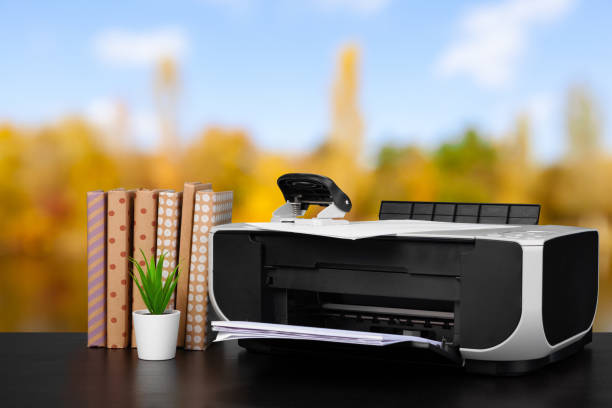
In the midst of office chaos, electronics can easily collect dust, dirt, and grime. This can lead to issues with hygiene and performance. Therefore, it’s important to take the time to clean all of your office electronics.
Cleaning Office Electronics: Hygiene, Beyond
Cleaning office electronics is primarily motivated by hygiene. This is especially true of shared equipment like phones and faxes. The more people use these devices, the more contaminated they can become with harmful bacteria and germs. Regularly cleaning office essentials can help prevent the spread of illness.
Second, cleaning properly can extend the life of electronic equipment. Dust and debris may also reduce the functionality of electronic devices and cause them to overheat. By implementing routine cleaning, businesses can reduce the risk of damage and ensure their electronic assets continue to operate effectively for many years. It also reduces the costs of repairs, replacements, and professional servicing.
How to Clean Your Office Electronics
Cleaning office electronics is important for your health, safety, and efficiency. It’s important to take this seriously. Professional cleaning companies such as Crewcare use the following tips to clean different types of office electronic devices.
Keyboards & Mice
To clean electronic peripherals, turn off the computer and then remove each accessory. A can of compressed air will help remove dust and debris between the keyboard and mouse keys and crevices.
Wipe the surfaces using a microfiber soft cloth moistened with isopropyl or mild cleaning solution. To remove stubborn stains, gently clean the affected area with a cotton swab that has been dipped into isopropyl.
If the keyboard model permits it, remove the individual keys from the keyboard and soak them in warm, soapy water. Then, use compressed air or cotton swabs to clean the board. Reattach each critical to the board after thoroughly drying and washing them.
Computer Monitors
After unplugging and turning off the monitor, use a microfiber towel to wipe the screen gently in a circle. This will remove any dust or smudges. If there are particular patches that need to be cleaned, dampen the microfiber cloth lightly with water or a screen cleaning solution. Use mild chemicals and ammonia-based cleaning solutions to avoid damaging the screen. Dry the screen completely with a clean microfiber cloth.
Phones
Unplug your phone from its power source if applicable. Use a damp, soft cloth to wipe down the phone’s surface. Pay special attention to the keypad and handset, as well as to the mouthpiece. If there are removable parts on the phone (like the keypad or handset), you can clean each one separately using a mild soap and water solution. Before reconnecting the phone, wipe it down with a dry, clean cloth.
Printers and Copiers
Cleaning printers and copiers is more difficult than cleaning other office electronics. Refer to the manufacturer’s instructions for cleaning and maintenance, as the procedures can vary from model to model. You can also use compressed air to clean parts such as paper trays, rollers, and other areas. To remove fingerprints and dirt, use a damp cloth to wipe the exterior surfaces.
Follow the cleaning instructions provided by the manufacturer for internal components such as the printer’s transfer rollers and fuser. It’s best to contact the service center if no one at the office has experience in cleaning electronics.
Other Electronics
Follow the cleaning and maintenance instructions provided by the manufacturer for tablets, touch screens, and other electronic devices. Use a microfiber cloth with a soft texture to wipe the screen or exterior surfaces. Avoid harsh chemicals and excessive moisture, as they can damage electronic components. Use a screen cleaning solution designed specifically for electronic devices. Apply the solution directly to the screen, not the cloth.
These step-by-step instructions will help you clean office electronics effectively, ensuring optimal performance, durability, and aesthetics.
Cleaning Office Electronics: Special Care is Needed
It’s important to be careful and considerate when cleaning office electronics to avoid damaging them or compromising their function. Take special care to prevent moisture-related damage. When cleaning electronic devices, avoid excessive moisture as it may seep in and cause malfunctions. When necessary, use only a small amount of water or cleaning solutions. Make sure that the devices are completely dried before connecting them to power or using them.
Computers and other electronic devices in the office are essential tools for productivity and communication. Therefore, cleaning and maintaining them is of paramount importance. This guide provides office managers and staff with practical tips to ensure that cleaning office electronics is not only safe but also effective.
A commitment to cleaning and maintenance will foster a culture that is caring and responsible, which will reflect positively on your organization and contribute to the overall satisfaction and success of your workplace.